Familiar structure
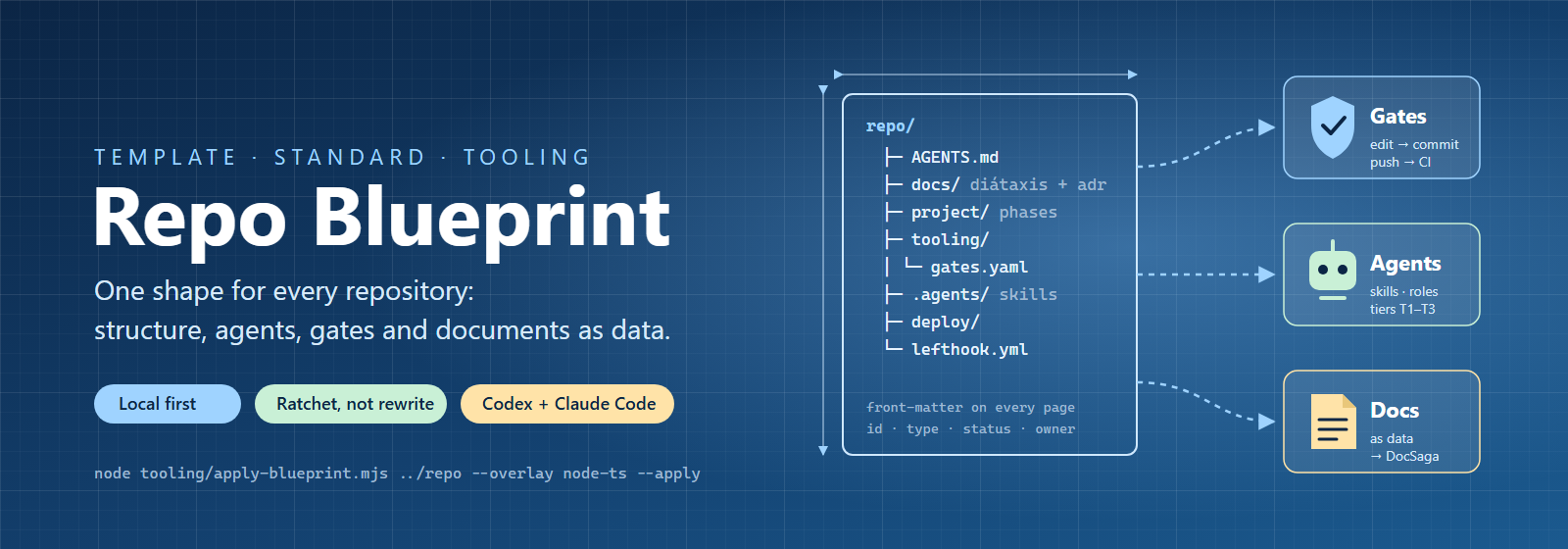
A base template brings Diátaxis documentation, project governance, tools and agent resources into consistent folders.
USE CASE
Move between repositories and find documentation and status in the same place.

REPOSITORY STRUCTURE · AGENT WORK & QUALITY
A shared structure for every repository.
Repo Blueprint is the foundation for organising code, documentation, agent instructions and quality checks. Use the same structure in a new or existing repository and keep it updated with rollouts that respect local changes.
Shared template · Node.js-based tools · Overlays for Node/TypeScript and .NET
FEATURES & USE CASES
A base template brings Diátaxis documentation, project governance, tools and agent resources into consistent folders.
Move between repositories and find documentation and status in the same place.
Canonical AGENTS.md files, roles and skills are generated in each client’s format. Instructions can be scoped by folder.
Let different coding agents follow the same project rules.
A shared gate runner is used by Git hooks, CI, builds and releases. Overlays enable checks suited to the technology stack.
Run the same quality checks locally as before a release.
Front matter and schemas describe document types and metadata, providing a foundation for DocSaga sync and issue links.
Connect a project plan to its status and issues while keeping the readable Markdown file.
Preview rollouts with a dry run. New files are added and unchanged template files can be updated; local changes are not overwritten.
Adopt the same approach in an older project while keeping its customisations.
Node/TypeScript and .NET overlays bring together analysis and tools. Security gates handle container scanning, NuGet and accepted risks with time limits.
Give different technology stacks a shared quality system with relevant checks.